Vera Rewind BO1 and BO2 setup
Set the game, mode, weapon bank, aim, recoil, and Zombies options for the free Rewind script.
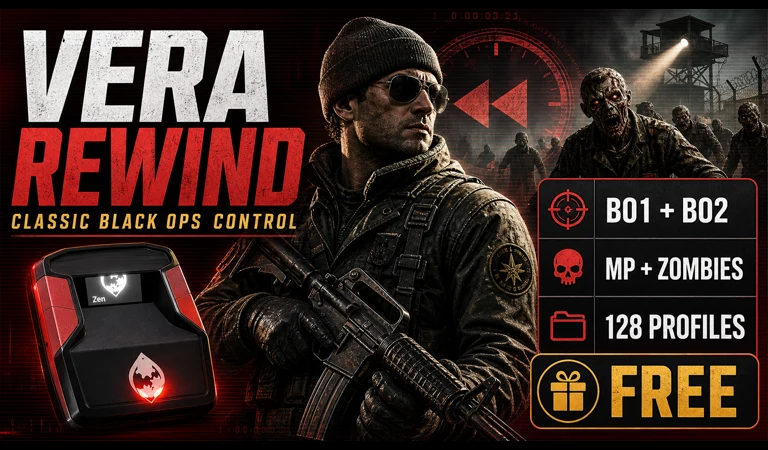
This is the current Vera Rewind BO1 and BO2 setup walkthrough for Black Ops 1 / Black Ops 2. It covers the exact first setup, menu map, tuning order, and a clean test.
Before you start
- Use firmware 2.3.0 or newer for the Vera flasher. The current shipped release records explicitly validate 2.3.0 and 2.3.1.
- Install the script from verascripts.com in Chrome or Edge.
- Use an empty slot and wait for the site to report success before unplugging.
Current build
Vera Rewind BO1 and BO2 setup is the V1 build for Black Ops 1 / Black Ops 2. The browser installer serves the validated production binary; no GPC file or separate compiler is needed.
Open and close the menu
Use Create + Options on PS5, Share + Options on PS4, or View + Menu on Xbox. Follow the on-device labels for navigation and complete the product's save-and-exit flow.
Menu map
| Menu | What is inside |
|---|---|
| GAME | GAME, MODE, APP VERSION, SENSITIVITY, MENU DEPTH, MASTER |
| LOADOUT | LOADOUT, ACTIVE WEAPON, PRIMARY, SECONDARY, THIRD ZOMBIE, SYNC PRIMARY BASE |
| AIM | LEGACY STICK, AIM ASSIST, AIM STYLE, AIM POWER, FIRE BOOST, ADS ONLY, QUICK TUNE, CTRL NOISE, GAME DEADZONE, X STRENGTH, Y STRENGTH, ENTRY MS, HOLD MS, MANUAL CUTOFF, DECAY MS |
| RECOIL | ANTI RECOIL, START V, SUSTAIN V, HORIZONTAL, ACTIVATION, RESET WEAPON, RAMP MS, RECOVERY MS, HIP SCALE, MANUAL YIELD |
| FIRE | SMART FIRE, RELOAD CANCEL, QUICK SCOPE, HOLD BREATH, HAIR TRIGGER, AKIMBO STYLE, SELECT PRESET, SYNC SELECT BASE, FIRE MODE, TRIGGER CYCLE, PRESS MS, RELOAD OFFSET, RELOAD METHOD, QUICK OFFSET, QS RELEASE, BREATH DELAY |
| MOVEMENT | AUTO SPRINT, SPRINT THRESH, RETRIGGER MS, SHOT ACTION, ACTIVATION, ACTION DELAY, STAND AFTER, DROP HOLD, JUMP COOLDOWN, TURBO MELEE, MELEE PERIOD |
| ZOMBIES | ADS SNAP, SNAP HOLD, SNAP RELEASE, DEADSHOT, DOUBLE TAP, SPEED COLA, PAP PRESET, MULE KICK, MELEE TURBO, ACTIVE SLOT |
| SETTINGS | BUTTON LAYOUT, FLIPPED, STICK LAYOUT, INVERTED Y, GAME RUMBLE, MENU HAPTICS, HAPTIC LEVEL, OLED PULSE, INPUT CAL, SAVE NOW, RESET ALL, VERSION |
First setup
- Choose BO1 or BO2 first, then Multiplayer or Zombies.
- Match App Version, sensitivity, controller layout, and flipped triggers.
- Select the current weapon profile or saved MP/Zombies bank.
- Use ADS + Create/Share for Quick Tune when you need an in-game adjustment.
Tune in this order
- Match game deadzone and sensitivity before aim strength.
- Tune recoil Vertical first with the exact weapon and attachment setup.
- Set Smart Fire to the weapon's real behavior: pass-through, semi, burst, or akimbo.
- Tune Zombies PaP and ADS snap only in the Zombies bank so Multiplayer stays unchanged.
- Save before switching games or modes.
Prove it is working
- BO1 and BO2 keep separate saved weapon banks.
- Multiplayer loadouts and three-weapon Zombies banks do not overwrite each other.
- Native M1216, BO2 Select Fire, and PaP behavior match the selected weapon profile.
- The OLED says Vera Rewind and the chosen game/mode is correct.
Support checks
- Rewind is free; sign-in is used for the secure flash session and receipt.
- There is no slide or dive-shot automation because the legacy games do not support firing during a dolphin dive.
- If a weapon fires incorrectly, confirm Smart Fire and the exact weapon profile before adjusting recoil.
Change one value at a time, test it, then save. Changing several settings together makes it impossible to tell which one fixed or caused the behavior.